
We want to make a product that perfectly fits your needs. To accomplish that, data on how our customers use Slide Presenter is extremely useful.
To learn about usage patterns and bugs in our app, we have integrated two external analytics tools:
-
Sentry, an industry standard to collect crash and error reports
-
Firebase, a tool to collect statistical data
Although we are grateful if you enable sending Analytics, it is your free choice whether you do so.
To change your analytics settings, go to the global Slide Presenter Themes List. In the overflow menu on the top right, you’ll find “Analytics”.
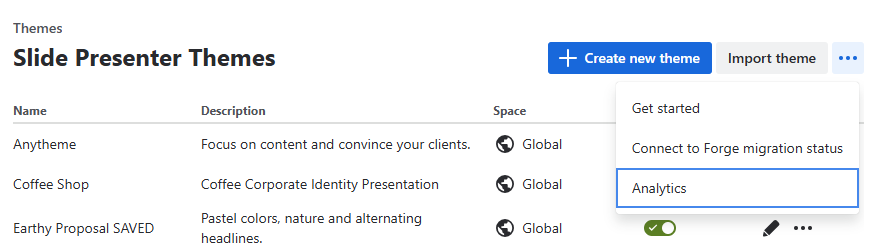
You can disable or enable sending analytics data. The setting is global for your whole Confluence instance.
On cloud, this setting will soon be replaced by the Atlassian-managed central analytics settings in the Connected apps screen. We cannot synchronize those two settings as apps have no write access to the new setting.
Therefore, please set the analytics setting on the Connected apps screen to what you want. After a grace period, we will switch to using that setting as our source of truth.